Generally, filter wheels are used through ASCOM.
After installing the ASCOM platform and the ASCOM Driver:
Open N.I.N.A.
Select Equipment > Filter Wheel
Select the correct ASCOM driver
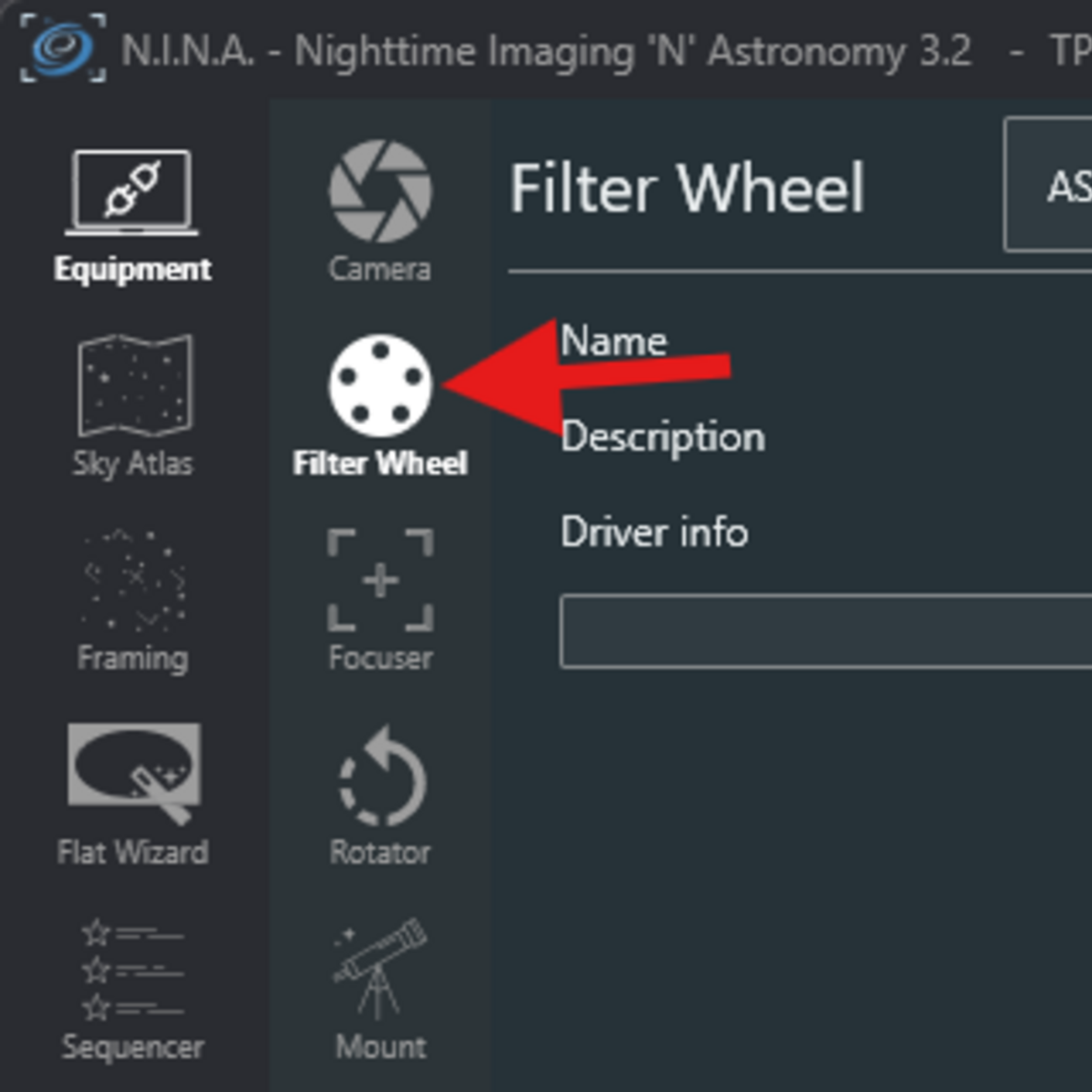
Please note that OGMA offers the ASCOM OGMAVision driver for filter wheels of models sold before 2026, and the OpenOGMA driver for filter wheels sold in 2026 and later.
Once you have selected the correct ASCOM driver:
Click the cogwheels to open the ASCOM configuration window.
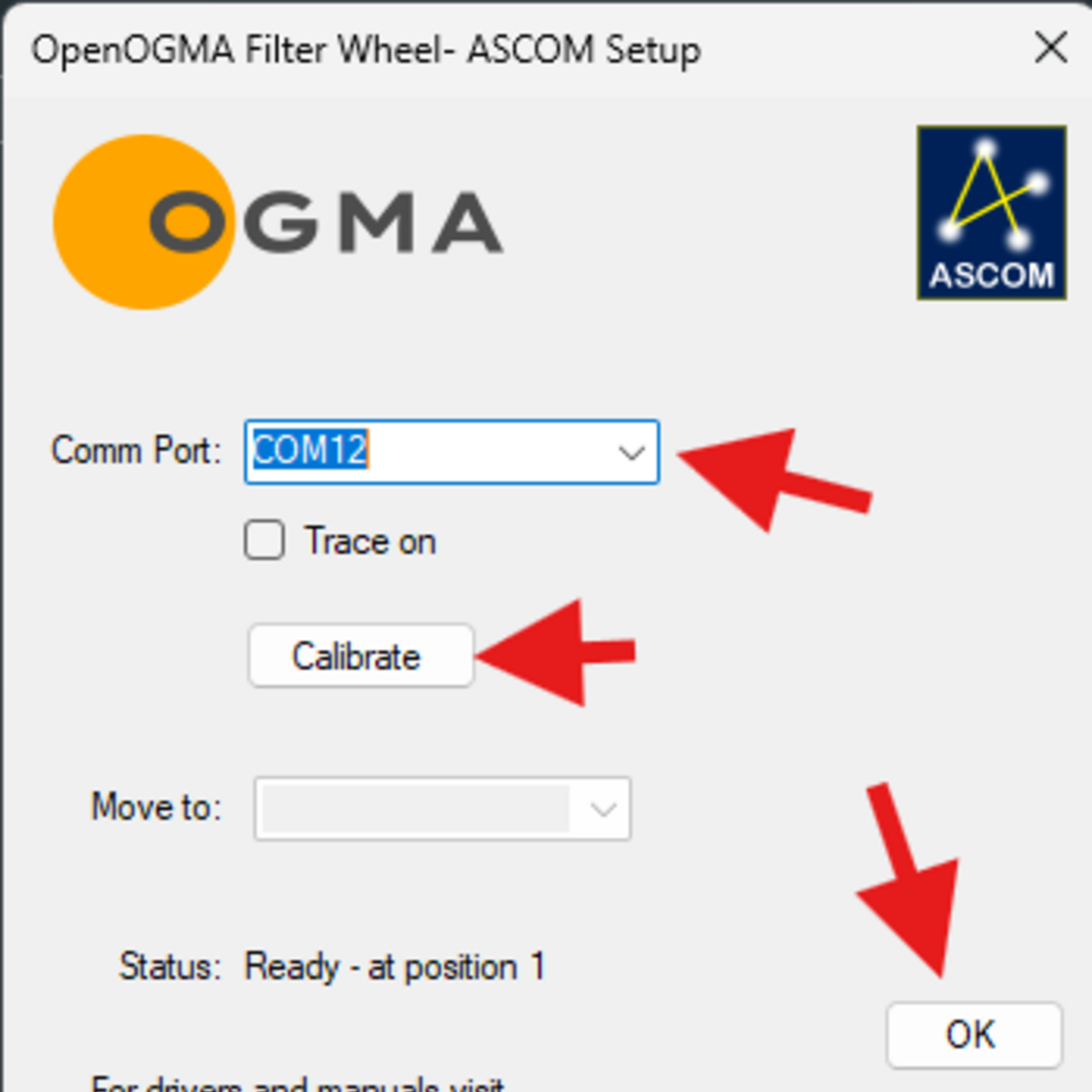
At this point, you have to set up the ASCOM driver:
Select the COM port (usually, the only one listed in the drop-down)
Click Calibrate and wait for the filter wheel to do the calibration.
Click OK, to close the ASCOM window.
At this point you are ready to connect to the filter wheel in N.I.N.A.